Multistream
Manage Twitch, YouTube and Kick streaming destinations from OBS with free FDGCast controls, Start All and individual outputs. No cloud restreaming.
Multichat
Windows x64 · 1.0.3 · Free core feature
Keep supported streaming conversations together without switching between separate chat windows.
Multichat is part of FDGCast, the same OBS streaming companion that includes chat, multistream controls, activity and monitoring.
During a multistream or collab, viewers can be talking on several channels at once. A combined view helps you follow the conversation while keeping its platform and original channel visible.
The Combined Chat dock displays messages from linked Twitch, YouTube and Kick accounts. Platform icons distinguish incoming messages; channel labels keep the original broadcaster visible. Twitch shared-chat provenance uses the source broadcaster and message identity to preserve origin context and avoid showing the same shared message repeatedly.
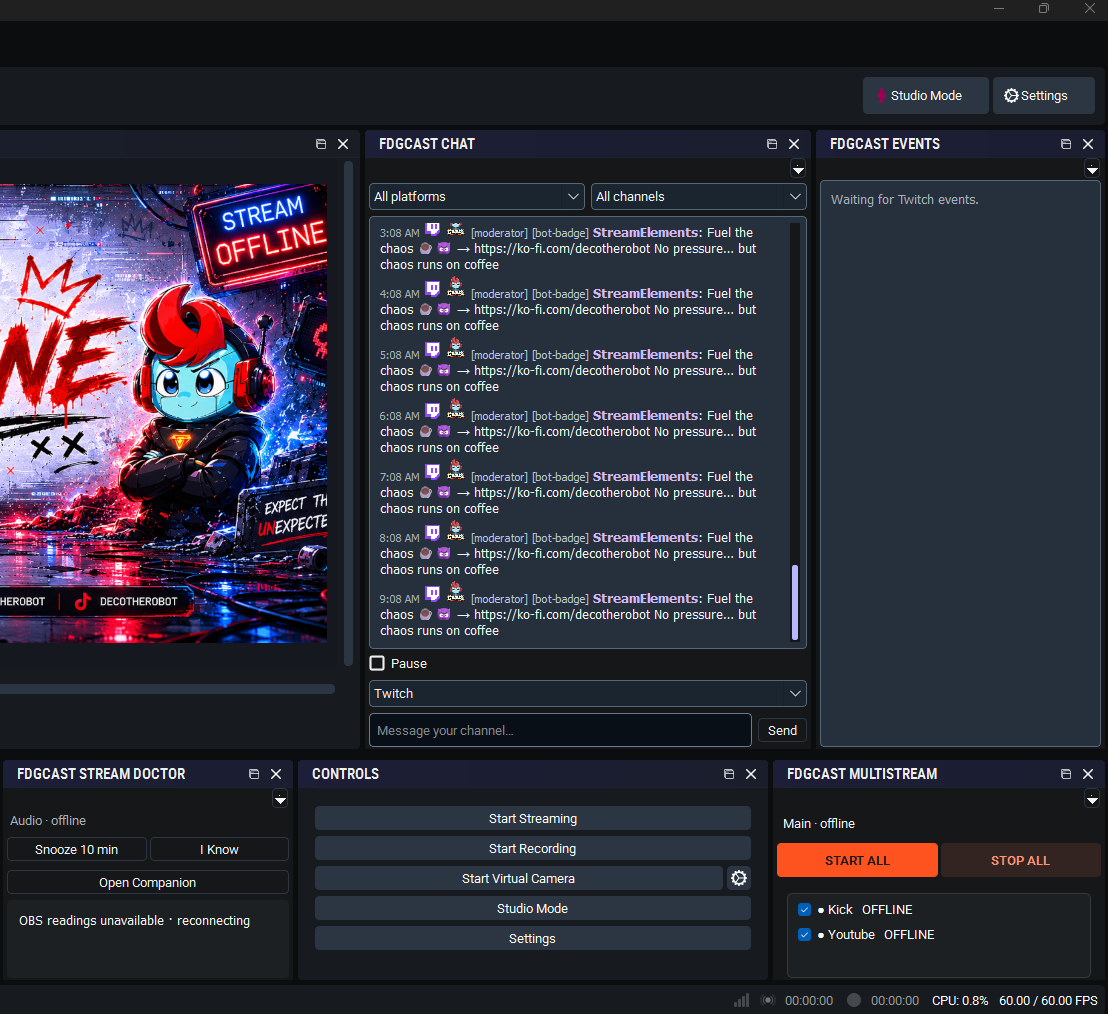
You and a friend are co-streaming with Twitch shared chat while you also stream to YouTube and Kick. Read those messages in the same dock, using the platform and channel labels to know which audience you are answering.
Full installation and pairing instructions · Troubleshooting and documentation
Yes. Core combined Twitch, YouTube and Kick chat is free. Live custom overlays are a separate Supporter feature.
Yes. Platform identification and original-channel context help distinguish messages in the combined feed.
FDGCast preserves shared-chat source broadcaster information and deduplicates shared message identities. Use the origin labels to see which channel a message started in.
Yes. Platform/channel filters, Pause and Jump to latest let you control which conversations you follow.
Yes. In Companion → Connections, enter the creator’s TikTok username and enable the experimental reader. The creator must have a public TikTok LIVE running through a phone, LIVE Studio or another encoder. No TikTok video output from FDGCast is needed. This reader is receive-only.
Manage Twitch, YouTube and Kick streaming destinations from OBS with free FDGCast controls, Start All and individual outputs. No cloud restreaming.
Monitor selected OBS audio sources with mute, silence and track-routing warnings. FDGCast Audio Guard offers configurable Windows and sound alerts.
Review OBS dropped frames, rendering and encoding lag, FPS, CPU readings and destination failures with FDGCast Stream Doctor’s configurable alerts.
Read supported Twitch, YouTube and experimental TikTok LIVE activity in one free feed with platform icons, channel labels, activity filters and grouped notifications.
These are tools in one FDGCast application, not separate products or installers.
Core chat and activity are free. Live Overlay Studio feeds require the existing verified paid or complimentary entitlement. Close OBS and FDGCast Companion before installing. Keep your existing setup and verify real platform delivery before a live stream.
Optional counting helps organizers understand event/profile visits and promotions. These measurements use pseudonymous identifiers and do not store your IP address, email or off-site browsing history. Raw measurements expire after 90 days. Turning this off stops new event, profile and promotion audience measurements; it does not remove anonymous totals already counted. Do Not Track and Global Privacy Control are respected.